
How to Handle VBS Registration
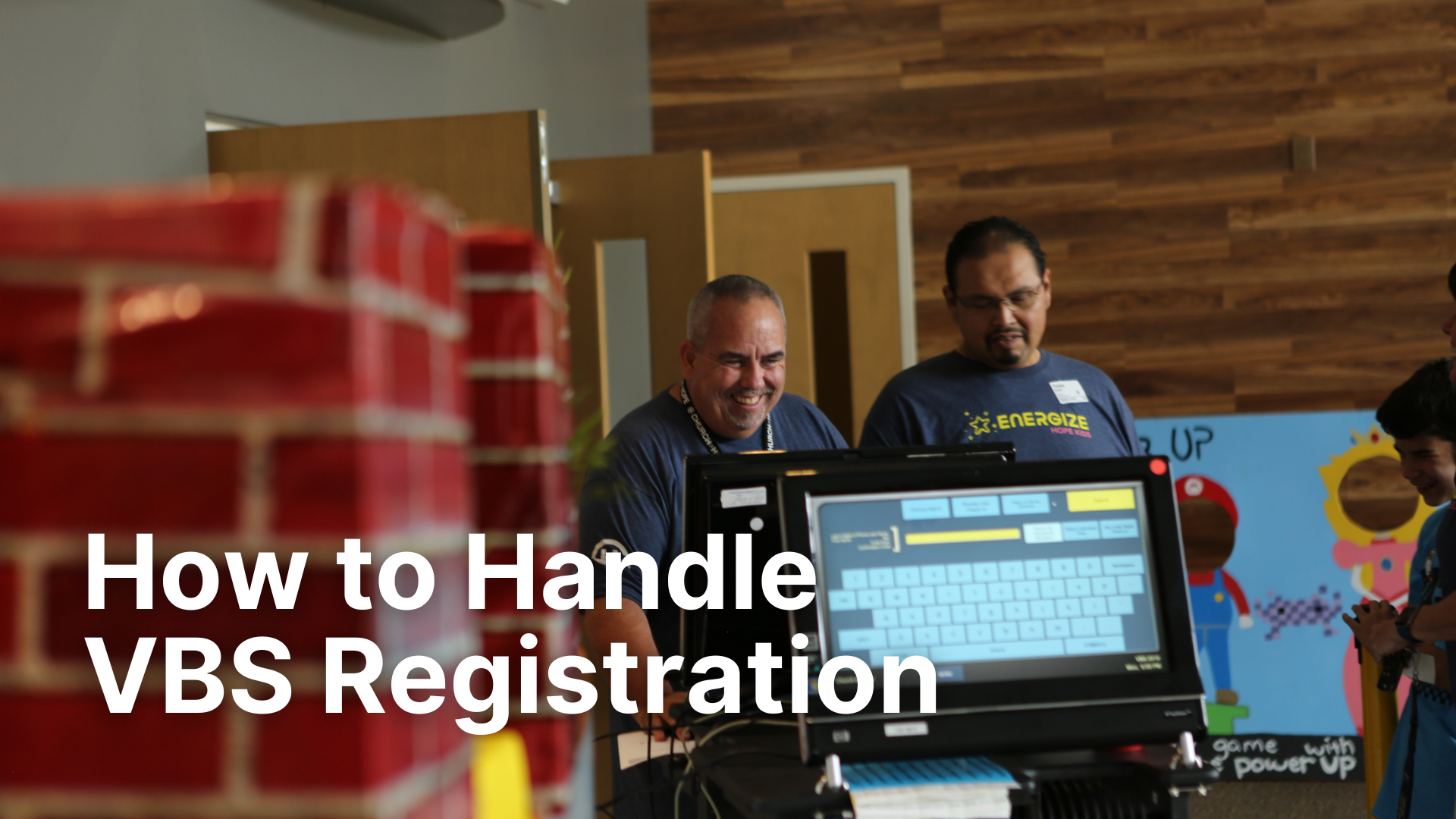
Photo by Holly Sheridan Photography at Church of Hope
One of the biggest administrative tasks of VBS is registration. You have to collect each child's name, birthday, grade, gender, contact information, emergency contacts, allergies, and medical notes. Then you have to make all of that information easily accessible to the right people at the right time.
And that's just the beginning. You still have to sort every kid into crews (small groups) based on grade, age, gender, and friend requests, all before VBS ever starts.
Once the event begins, more kids will show up and need to be placed quickly without overloading some groups and leaving others empty. Then, you'll have kids who want to switch crews, and others who show up once and take a spot you need for someone new.
It's a lot. It's one of the main reasons I recruit a Registration Coordinator to help manage the details. Let's tackle this one step at a time.
How Will Kids Sign Up?
The first question you need to answer is how families will register. You need to know how many kids are coming and where to place them before the week begins. There are two main ways to collect registrations, and I strongly recommend using both: physical and online.
Physical Sign-Ups
This is the classic registration form. I keep the same form every year and just update the theming to match that summer's curriculum. The form should capture all the essentials: name, age, grade, contact information, and allergies. I also include a waiver on the back. Because the form asks for a lot of information, I limit it to one child per form. I've tried to fit multiple kids on a single sheet, and it gets confusing, fast.
Once the form is ready, I place it at my VBS donation booth, which also serves as the hub for everything VBS-related. Once the event starts, I use the physical form for on-site walk-up registrations. You can use a digital form at check-in, but unless your Wi-Fi is rock solid, I wouldn't rely on it. Your registration team also needs to be able to access information and place kids quickly. Having to navigate a device in the middle of a busy check-in line slows everything down.
Online Sign-Ups
I use a VBS website for two purposes: marketing and registration. You need a simple, easy-to-complete digital form that parents can fill out the moment they decide to send their kid. Don't send people to your website and then ask them to download and mail back a physical form. That friction will cost you registrations.
Over the years I've used two main platforms: Group VBS Pro and Planning Center Registrations. If you want VBS registrations to feed directly into your main church database, Planning Center Registrations or something similar is the way to go. If you don't have Planning Center or need a free option, Group VBS Pro works well. As of this writing, they offer both a free and a paid tier, and most of what you need is available on the free side.
As you build your online form, keep a few things in mind.
Match your physical form.
You don't want extra questions on one form that aren't on the other. You'll end up with incomplete data and gaps you'll regret later. I usually build the digital form first and then design the physical form to match it.
Include a confirmation email.
This is easy to overlook, but it's essential. Any time someone signs up for something, they expect a confirmation. Most platforms have a generic one, but I prefer to write my own. It's the next step in building a relationship with the family, and it'll be one of the first places they look for important details like dates and times, especially if they registered months in advance.
Add your physical registrations to your digital system.
You never want two separate databases running at the same time. Neither will be complete, and you'll likely end up with conflicting information in both. I solve this by manually entering my physical forms into my digital system as they come in. That way I always have one accurate, up-to-date registration count.
Extra Questions Worth Asking
Beyond the standard contact and demographic fields, I include a few additional questions that help with marketing, follow-up, and serving families well.
What church do you attend?
The majority of your VBS kids will come from your own church, but I've always viewed VBS as an outreach event. Asking this question lets you sort every child into one of three buckets: they attend your church, they attend another church, or they don't attend anywhere.
When it comes to follow-up, you'll want to focus your energy on that third group. Transfer growth is nice, but reaching kids with no church home is what VBS is really for.
How did you hear about us?
This is a marketing question. If you're spending real time and money advertising your VBS, you need to know what's working and what isn't. I use checkboxes and list every method I used to promote the event, letting parents select all that apply. Don't forget to include options for "my church" and "friend or family member." Those will almost always be your top two responses, and you don't want to miss that data.
Would you like to be placed with a friend?
I have a love-hate relationship with this question. It shows families you care, but trying to honor every friend request can wreak havoc on your crew distribution and leave some parents disappointed. To manage expectations, I phrase it this way:
Would you like to be placed with a friend? We will do our best, but this is not a guarantee. If we can't place friends in the same crew, we will try to put them in the same group so they can still spend time together.
What size shirt does your child wear?
Depending on your budget, you may be providing shirts for kids, volunteers, or both. One of the most common problems with pre-ordering shirts is ending up with too many of one size and not enough of another. Collecting shirt sizes during registration gives you a much more accurate starting point. I go into more detail on how to use that data here.
Getting the right information from your families upfront makes everything that follows easier. Take the time to set up your registration thoughtfully, and you'll have what you need not just to run a great VBS, but to follow up well and serve those families long after the week is over.





Over the last few weeks I've seen a lot of people expressing frustration about VBS. Specifically, they feel like the rest of the staff isn't supporting them, and many are on the verge of burnout.
I get it. I spent many summers working 70-hour weeks back to back just to pull off this one event. As much as I love VBS, it puts a serious strain on your time, resources, and volunteers.
But there are things you can do to keep from hitting the wall before VBS even starts.